Have you ever signed up for a new social media platform because everybody in the blogging world seemed to be talking about it, only to stare at the empty profile and wonder what you were supposed to do next? I certainly understand that feeling. Between writing articles, taking photographs, answering readers, keeping a website running and trying to make a living from the work, another platform can feel like one more chore. But sometimes a different kind of community gives your writing and photographs a chance to reach people who would never have found your regular blog.
That is why I want to take a closer look at Tumblr for bloggers. Tumblr is a mixture of blogging and social networking, with its own culture of following, tagging and reblogging. It can be a home for photography, creative writing, artwork, collections and conversations around very specific interests. It is not a replacement for a website you control, and it certainly is not a guaranteed source of traffic or income. The useful question is whether you can make Tumblr serve your work without letting it take over your schedule.
If you are curious about trying it, I want you to know how to set up a blog, make it recognizable, share content people can actually enjoy on Tumblr, find others who care about the same subjects and tell whether any of that activity is helping your main website. I'll also explain when I think a blogger is better off skipping Tumblr entirely.
What Tumblr Is and How It Works for Bloggers
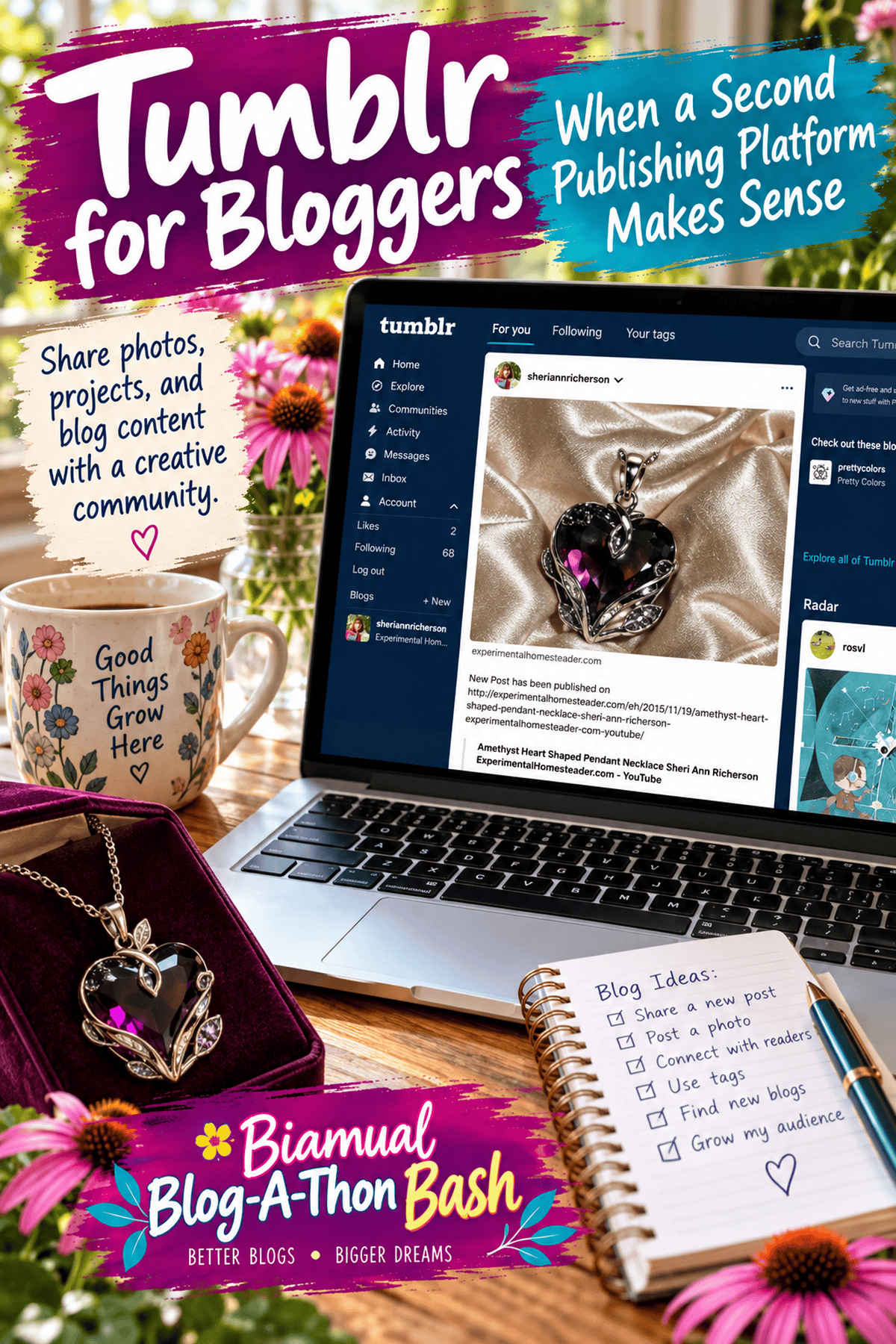
Think of Tumblr as a place where publishing and conversation happen side by side. You create a blog under a Tumblr address, publish posts to it and follow other accounts. When you see something worth sharing, you can reblog it to your own audience, usually with attribution and the earlier post's context attached. People can discover your work through tags, recommendations, searches and the people they follow. That is different from publishing an article on your own WordPress site and hoping somebody arrives through Google.
Tumblr has traditionally been particularly comfortable with images, GIFs, short reflections, poetry, illustrations, fan communities and ongoing creative projects. Longer writing is possible too, but it helps to understand the habits of the community you hope to reach. A photograph of an unusual flower with a few thoughtful sentences may make a better Tumblr post than a long sales-oriented excerpt copied from your website. The point is to give someone a reason to appreciate the post right where they encounter it.
For a real example, visit my Experimental Homesteader Tumblr blog. Its address uses my name, while the displayed blog title is Experimental Homesteader. The older posts show how I previously shared videos, reviews and articles from my website. Some use automated link announcements, which I would now expand into more useful Tumblr-native posts with context and a reason to explore the full article.
How to Start a Tumblr Blog
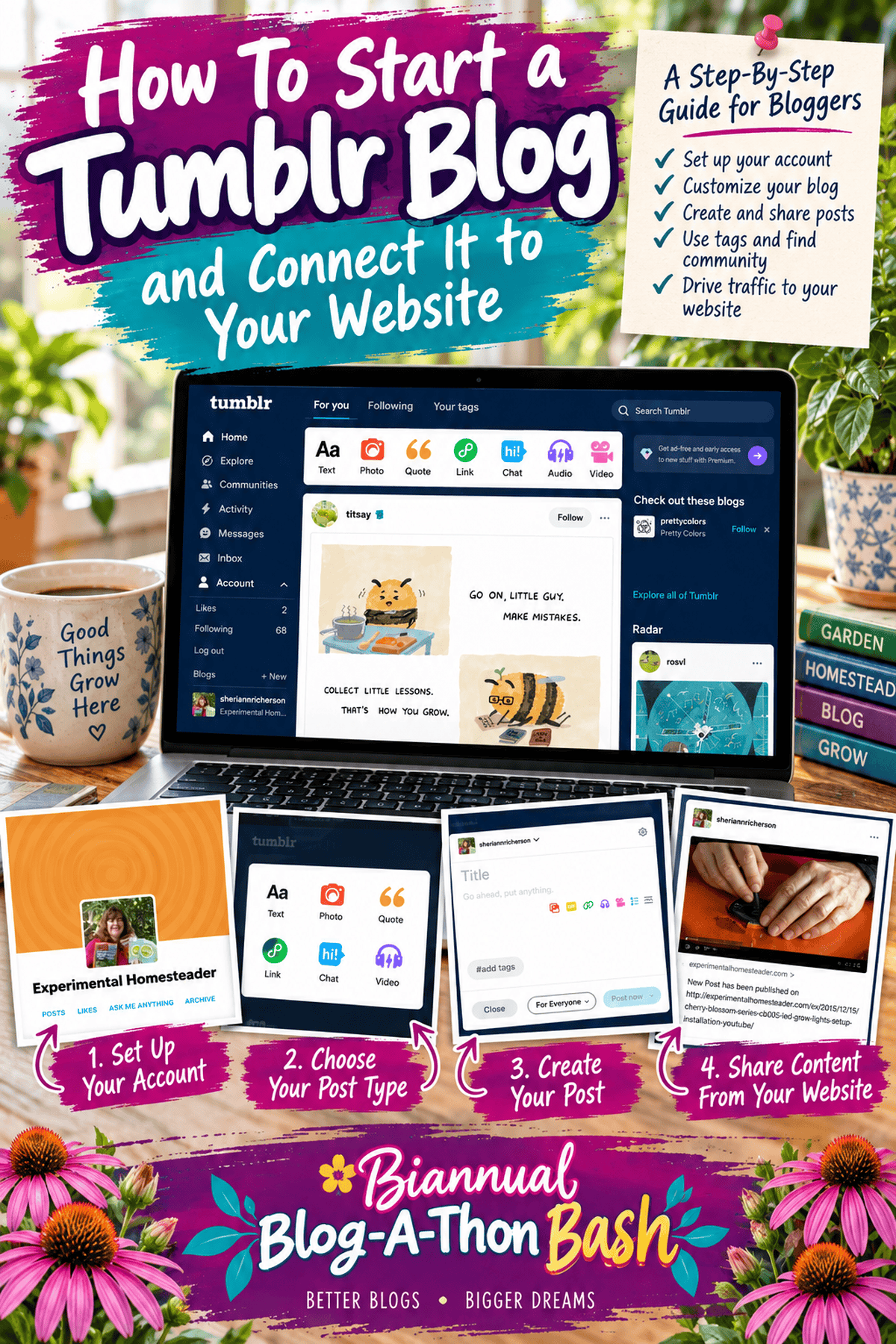
Begin at Tumblr and follow the current sign-up process. Choose an account name that is easy to spell, recognizable and related to your existing brand when possible. If the exact name you use elsewhere is unavailable, a simple variation is usually better than a string of unrelated numbers. Your Tumblr address and display name serve different purposes, so check how both appear before you start promoting the account.
Once your account is created, open your blog settings and review the blog name, description, profile image, appearance and visibility choices. Interfaces change, so the exact labels may look different from screenshots you have seen in older tutorials. Take time to explore the settings rather than assuming the defaults are right for a professional blog. Decide whether visitors should be able to send questions or interact with you in other ways, and choose moderation and notification settings you can realistically maintain.
I would also think about the name before publishing a dozen posts. A name that works for a personal scrapbook might not help someone recognize the gardening, food, craft or writing website they already know. Consistency makes it easier for readers to realize they have found the same person on another platform. It also saves you from needing to explain later why every account uses a different identity.
Make Your Tumblr Profile Feel Like Your Blog
A visitor should be able to glance at your profile and understand what you share. Use a clear avatar, a readable description and a link to the website or landing page you actually want people to visit. Rather than writing only that you are a blogger, say what your readers will find. A garden writer might mention unusual plants, growing experiments and seasonal photographs. A food blogger could mention recipes, ingredient tips and behind-the-scenes kitchen notes. Specific language gives the right people a reason to stay.
Choose a visual style that complements your existing branding without spending days adjusting every detail. Make sure text is readable on a phone, links are easy to find and images do not disappear against the background. Visit your own page as a stranger would. Can you tell what the account is about? Can you find the main website? Does the first screen contain something worth reading or looking at? Those simple questions matter more than a complicated theme.
If you want to stretch a good article into several useful pieces of content without publishing identical copies everywhere, see my guide to repurposing one blog post into multiple pieces of content. That approach fits Tumblr especially well.
What to Post on Tumblr Without Copying Your Whole Website
I would start with material that makes sense as a complete Tumblr post. For a gardening blogger, that might be a photograph of a cacao seedling with an explanation of what is happening as its first leaves unfold. A homesteading writer might show the stages of making butter, explain one common mistake and invite readers to compare methods. A craft blogger could share a finished project and one detail that made the process easier. A writer might share a short reflection about researching a book or a glimpse of the notebooks behind a story. These are useful little pieces of content, not advertisements pretending to be posts.
When you want readers to visit a full tutorial on your own site, give them a reason to make that trip. Explain something interesting in the Tumblr post itself, then link to the detailed instructions, additional photographs or printable resource when it is relevant. Do not publish a title and a naked link over and over. People following you on Tumblr should feel that following you is worthwhile even when they do not click away.
Nor would I automatically republish every complete WordPress article there. Maintaining two copies makes revisions more complicated, and readers may have little reason to visit the original. It is better to adapt a small part of a substantial article into a useful standalone post, credit your own source clearly and link back to the fuller material. If you do choose to republish longer work, think through how you will handle updates, attribution and the role of each version before you begin.
Different platforms reward different habits. For comparison, my Pinterest basics guide for bloggers explains another visual discovery platform, while LinkedIn for bloggers focuses on professional relationships and opportunities.
Use Tags to Help the Right People Find You
Tags are one of the ways Tumblr users discover posts about subjects they already care about. Choose tags that accurately describe the individual post rather than filling every entry with a long collection of broad or unrelated terms. A photograph of an heirloom tomato might belong with tags about tomatoes, gardening or a particular growing method. A poem about autumn belongs with readers interested in poetry and seasonal writing. Look at how people in your subject area actually tag their work, because a community's vocabulary may be different from the keywords you use for Google.
Be consistent enough that someone who enjoys one post can recognize the kinds of things you share, but don't force every post into exactly the same tags. The purpose is discovery and context, not manipulating a search engine. After publishing, review how the post appears and whether the tags and any linked material display as expected.
Find a Community Instead of Building Another Automated Feed
This is where I think bloggers can miss the point of Tumblr. It is tempting to connect an automation, send every new article into another feed and consider the job done. But a community grows through attention. Search for subjects you genuinely enjoy, follow creators whose work interests you and spend some time seeing what kinds of posts people respond to. When you reblog something, add a useful observation when appropriate and respect the creator's work. Don't treat every interaction as an opportunity to pitch yourself.
Think of the difference between arriving at a blogging event and handing your business card to everybody in the room, and sitting down to have a real conversation. Online communities work much the same way. Someone may first notice you because you appreciated their photograph or answered a question thoughtfully. They may later visit your blog, share your work or become a collaborator. There is no promise that will happen, but relationships have a better chance to develop when you are participating rather than broadcasting.
Connect Tumblr to Your Main Website Without Losing Your Readers
For anyone building a blogging business, I would keep the primary website at the center of the plan. That is where you can organize years of tutorials, maintain your email list, offer products and courses, and control the way readers move through related content. Tumblr can introduce someone to your work, but it should not require you to rebuild everything you have already created elsewhere.
Place a clear link to your main site in the profile. When a Tumblr post relates to a larger article, link to that exact article instead of sending everyone to your homepage. Someone interested in starting seeds wants the seed-starting instructions, not the burden of searching an unfamiliar website. The same goes for a reader who discovers a craft project, a recipe or a writing tutorial. Make the next step obvious and helpful.
If you want to measure visits from Tumblr more clearly, you can use a tagged URL for links you intentionally share there. For example, append ?utm_source=tumblr&utm_medium=social&utm_campaign=tumblr_blog to the appropriate page URL, provided it does not already contain a query string. Google Analytics can then help you see visits associated with that campaign. Keep the naming consistent, and test the finished link before publishing it.
For a broader view of traffic and reader relationships, read building blog traffic with an email list. Social followers can discover your work, but an email list gives interested readers another way to stay connected.
How to Tell Whether Tumblr Is Worth Your Time
Give the platform a modest trial instead of making it a permanent obligation on day one. For four weeks, choose a manageable number of original posts, spend a little time engaging with relevant creators and keep track of what you actually did. I would rather see two thoughtful posts a week and a few genuine conversations than a flood of automatic updates nobody responds to. Record how long the work takes, what subjects attract interest, whether people visit your website and whether those visitors do anything useful once they arrive.
In Google Analytics, look beyond raw pageviews. If Tumblr sends visitors who immediately leave, that tells a different story from a smaller group who read several articles, subscribe to your newsletter or explore a product. Also watch for the less measurable benefits, such as a meaningful conversation with another creator or an invitation to contribute to a project. Those can matter, but they should not become an excuse to spend unlimited hours on a platform that is not serving your goals.
At the end of the trial, ask yourself whether you enjoyed the community, whether the content suited your work and whether you can maintain the account without neglecting your own website. You can keep going, adjust the approach or stop. There is no prize for collecting accounts you do not have time to use.
Common Tumblr Mistakes I Would Avoid
The first mistake is treating Tumblr as a dumping ground for links. The second is posting without considering the people who use it. The third is spending so much time customizing an account that you never publish anything worth reading. I would also avoid using other people's photographs or writing without permission, tagging unrelated subjects for attention, or expecting followers to buy something the moment they discover you. Give people a chance to understand your work first.
Be mindful of privacy as well. Decide what personal details you want publicly associated with the account, review the platform's interaction settings and remember that public posts can travel beyond the audience you originally imagined. If you manage several websites or brands, be deliberate about which one a particular Tumblr account represents. One focused account is often easier to explain and maintain than a confusing collection of barely active profiles.
Should You Use Tumblr for Blogging Today?
I wouldn't tell every blogger to join Tumblr, and I wouldn't tell every blogger to ignore it. A photographer, artist, fiction writer, collector or visually oriented blogger may enjoy the community and find readers who are genuinely interested in the work. A blogger already struggling to keep a website updated may be better served by improving existing articles, strengthening email connections and concentrating on the channels that are already producing results.
My advice is to be curious without feeling obligated. Try Tumblr because you have a clear idea of what you want to share and whom you hope to reach, not because someone insists you must be everywhere. Build something that is enjoyable for the people who discover it, and make sure it fits into the larger life and business you are trying to create.
If your bigger challenge is finding time to create and promote content, my guide to a sustainable weekly blog schedule can help you plan that work. You may also find ideas in useful blogger apps for content and productivity and blogger networking and collaboration. The goal is not to use every available tool. It is to choose the tools and relationships that help you do your best work.
Frequently Asked Questions About Tumblr for Bloggers
Is Tumblr still worth using for bloggers?
It can be, but I would make that decision based on the people you want to reach and the kind of content you enjoy creating. Tumblr is especially interesting for photography, art, creative writing, collections and communities built around particular interests. If you have beautiful photographs, unusual projects or observations that can stand on their own as short posts, you may find it enjoyable to share them there. But if you are already overwhelmed trying to keep your main website updated, adding Tumblr simply because it exists is not a strategy. Start by looking at what the community shares, then decide whether your work would contribute something worthwhile.
Can I use Tumblr and WordPress together?
Absolutely, and that is how I would approach Tumblr if you already have an established WordPress blog. Keep your detailed tutorials, organized categories, products and email signup on the website you control. Use Tumblr for smaller pieces that introduce readers to your subjects, such as an interesting photograph, a behind-the-scenes story or one useful tip from a longer tutorial. When a link genuinely helps the reader, send them directly to the related article. I would not automatically copy every complete WordPress post onto Tumblr. Two versions of the same article mean more maintenance, and readers need a good reason to visit your main site.
Can Tumblr send traffic to my website?
Yes, a Tumblr post or profile link can bring someone to your website, but posting links does not guarantee that people will click them. A reader who enjoys your photograph of a rare plant might want the full growing instructions. Someone who appreciates a short writing tip might follow a link to a detailed guide. Make that connection natural, and link to the specific page that answers the question. If you want to see whether Tumblr is contributing visitors, use consistent campaign-tagged links where appropriate and review the results in Google Analytics. Pay attention to what those visitors do after arriving, not just the number of clicks.
How often should I post on Tumblr?
I would begin with a schedule you can actually keep, perhaps two thoughtful posts a week for a month, rather than promising yourself several posts every day. You might share a photograph and its story one day, then a useful observation or short excerpt another day. Spend a little time reading and interacting with other creators, too. At the end of the month, look at which posts people responded to, whether anyone visited your main website and how much time the account required. If it is working and you enjoy it, you can increase your activity. If it feels like another exhausting obligation, adjust the schedule or stop.
Can you make money blogging on Tumblr?
I would not build a business plan around the assumption that Tumblr itself will pay you for posting. Features, monetization options and platform policies can change, and income is never guaranteed. For a blogger with an established website, Tumblr may be more useful for introducing people to work that earns money elsewhere, such as books, courses, digital products or carefully chosen affiliate recommendations. Make sure any promotional posts follow the platform's current rules and clearly disclose material relationships when required. Above all, give readers genuinely useful content before asking them to buy something. A community is not simply a list of potential customers.
Should I have a separate Tumblr blog for each of my websites?
Not necessarily. I would think about whether the audiences are truly different and whether you have enough distinct material to maintain each account. If one website is about gardening and another is about creative writing, separate Tumblr blogs could make sense because followers may want very different things. But if the subjects overlap and you barely have time to post once a week, dividing your effort among several accounts may leave all of them neglected. Begin with one clearly focused presence, see whether it serves a real purpose, and expand only when you have a reason beyond wanting every brand represented everywhere.



Ellen Christian says
Thanks for the mention, Kathleen. Tumblr is a great way to show off your photographs as it's a very visual medium.
brett says
i don't understand tumblr but did start one for my site. this post has helped me understand a lot more!
Brandy says
Thank you for the tips. I know I need to start a Tumblr blog but it keeps getting pushed to the bottom of my list. Your tutorial makes me want to get it started and no confusion as to how.
My recent post Cinnamon Apple Recipe + 11 Cinnamon Apple Uses
Kathleen Bailey says
Come back and link to it when you get around to it!
Scott says
Tumblr is one thing I've never tried out. I've visited, but never understood what the advantage over self-hosted was, if there is any.
My recent post Lighting Up Our World with 160 LEDs
momssmallvictories says
I started a tumblr blog but have no idea what I'm doing!
Do we need a separate tumblr blog just for tasks or is it ok to just use the one I just made for my blog yesterday? Thanks!
My recent post 30 Authors Event: Author Patry Francis Recommends We Are Called to Rise